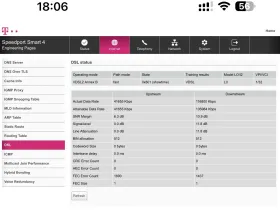
Stephanie So , First i tried reaching the Congstar Chat , and i was told from their side everything works and if i have a problem with the router i should contact Telekom.
I tried going into a Telekom Shop, and they didn't knew what to tell me about manually configuring the router for Congstar.
I have the router from January, and the router was purchased directly from a Telekom Shop when they made me the Internet contract with Congstar.
No i do not have a Start Assistant option available, just Configure now, and that will open me the page where i need to manually insert: Name of Provider, Username, Password, MTU, VlanID
The Congstar app on my phone says that My connection is active , Set up your router now to go online. Just follow the steps bellow- you're connected in a few minutes.
But the steps below are just for FritzBox router.
Currently i am unable for a phone conversation, but i am fine with waiting for a week to get a relevant answer from that department.
In the menu shown in the second image, you need to switch from "Telekom" to "Congstar" or "other providers". The router should have "Congstar" listed. And yes, Telekom routers also work with Congstar. If necessary, you can also unplug it for 15 minutes or perform a factory reset.
In the menu i have just Telekom, MagentaZuhauze Region or Other provider , Congstar is not listed. If i select other provider will be the third picture where i need to manually input the configuration, which i do not have. Congstar app shows configuration only for FritzBox.
I already tried Factory resets and unplugs, will just make it to go on the Default Telekom setting will will still ask for Manual Configuration.